Connect GitLab, Bitbucket or any git server
Besides the GitHub App, Falak connects to git providers with credentials you supply. Credentials are verified with the provider before they are saved, stored encrypted, and never shown again.
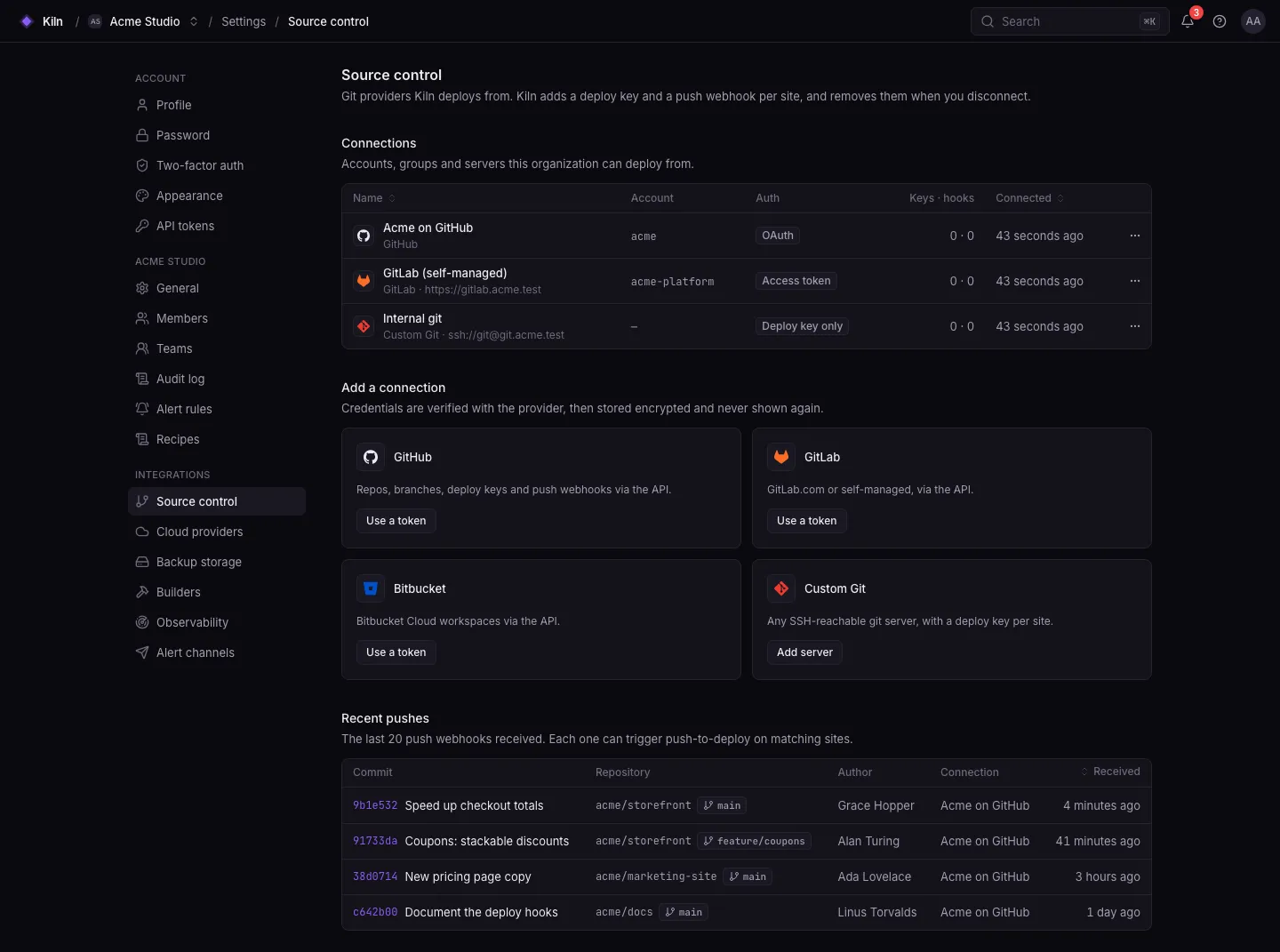
What each connection type does
Section titled “What each connection type does”| Provider | API provider |
Auth (auth_type) |
Deploy keys | Push webhooks |
|---|---|---|---|---|
| GitHub (token) | github |
token |
Added per site through the API | Created per repository through the API |
| GitLab.com or self-managed | gitlab |
token |
Added per site | Created per repository |
| Bitbucket Cloud | bitbucket |
basic (username + app password) or token |
Added per site | Created per repository |
| Custom git (Gitea, Forgejo, plain SSH) | custom |
none |
Per-site deploy key you add yourself | You configure the webhook |
| GitHub App | github |
app |
none (HTTPS installation tokens) | One app webhook |
Connect
Section titled “Connect”Use this for GitHub Enterprise Server, or instead of the GitHub App.
- Create a fine-grained or classic token with access to repository contents, deploy keys and webhooks (classic:
repoandadmin:repo_hook). - Settings → Source control → GitHub → Use a token. For GitHub Enterprise, enter your base URL.
- Paste the token and save.
- Create a personal, group or project access token with the
apiscope. - Settings → Source control → GitLab → Use a token. For self-managed GitLab, enter the base URL (for example
https://gitlab.acme.com). - Paste the token and save.
- Create a repository or workspace access token with repository and webhook scopes, or an app password.
- Settings → Source control → Bitbucket → Use a token.
- Choose token or username + app password, and save.
- Settings → Source control → Custom Git → Add server. Enter the base URL, for example
ssh://git@git.acme.com. - When you create a site on this connection, enter the repository path or full URL.
- Add the site’s deploy key (shown on the site) to the repository on your git server, read-only.
- For push-to-deploy, add a webhook on your git server (see below).
Public repositories need no key.
Or through the API:
curl -X POST https://falak.example.com/api/v1/source-control/connections \ -H "Authorization: Bearer $FALAK_TOKEN" -H "Accept: application/json" -H "Content-Type: application/json" \ -d '{"provider": "gitlab", "auth_type": "token", "name": "GitLab", "base_url": "https://gitlab.acme.com", "token": "glpat-…"}'Webhooks for custom git servers
Section titled “Webhooks for custom git servers”Custom git servers have no API Falak can call, so configure the webhook yourself with the URL and secret of the site’s webhook. Falak accepts a delivery when one of these matches the secret:
| Header | Sent by | Value |
|---|---|---|
X-Gitea-Signature |
Gitea | HMAC-SHA256 of the body (hex) |
X-Forgejo-Signature |
Forgejo | HMAC-SHA256 of the body (hex) |
X-Hub-Signature-256 |
GitHub-compatible servers | sha256= + HMAC-SHA256 of the body |
X-Falak-Token |
Your own script | The secret itself |
The endpoint is POST https://<panel>/api/webhooks/source-control/<webhook-id>. Deliveries are limited to 120 per minute per webhook (FALAK_WEBHOOK_RATE_LIMIT). Only branch pushes trigger deploys; tag pushes and branch deletions are ignored.
OAuth apps (optional)
Section titled “OAuth apps (optional)”Operators can offer “Sign in with GitHub/GitLab/Bitbucket” connections by registering OAuth applications and setting these in /opt/falak/custom.env:
| Provider | Variables | Callback URL |
|---|---|---|
| GitHub | GITHUB_CLIENT_ID, GITHUB_CLIENT_SECRET (GITHUB_URL, GITHUB_API_URL for Enterprise) |
https://<panel>/source-control/callback/github |
| GitLab | GITLAB_CLIENT_ID, GITLAB_CLIENT_SECRET, GITLAB_URL |
https://<panel>/source-control/callback/gitlab |
| Bitbucket | BITBUCKET_CLIENT_ID, BITBUCKET_CLIENT_SECRET |
https://<panel>/source-control/callback/bitbucket |
OAuth requests the scopes repo admin:repo_hook read:user (GitHub) and api read_user (GitLab).
Limits
Section titled “Limits”- Bitbucket Server / Data Center is not supported (Bitbucket Cloud only).
- OAuth works for only one self-managed GitLab instance (set by
GITLAB_URL); connect others with tokens.