Recipes
A recipe is a saved bash script that you run on one or more servers through their agents. Output from every server streams into the run page and is kept in the run history.
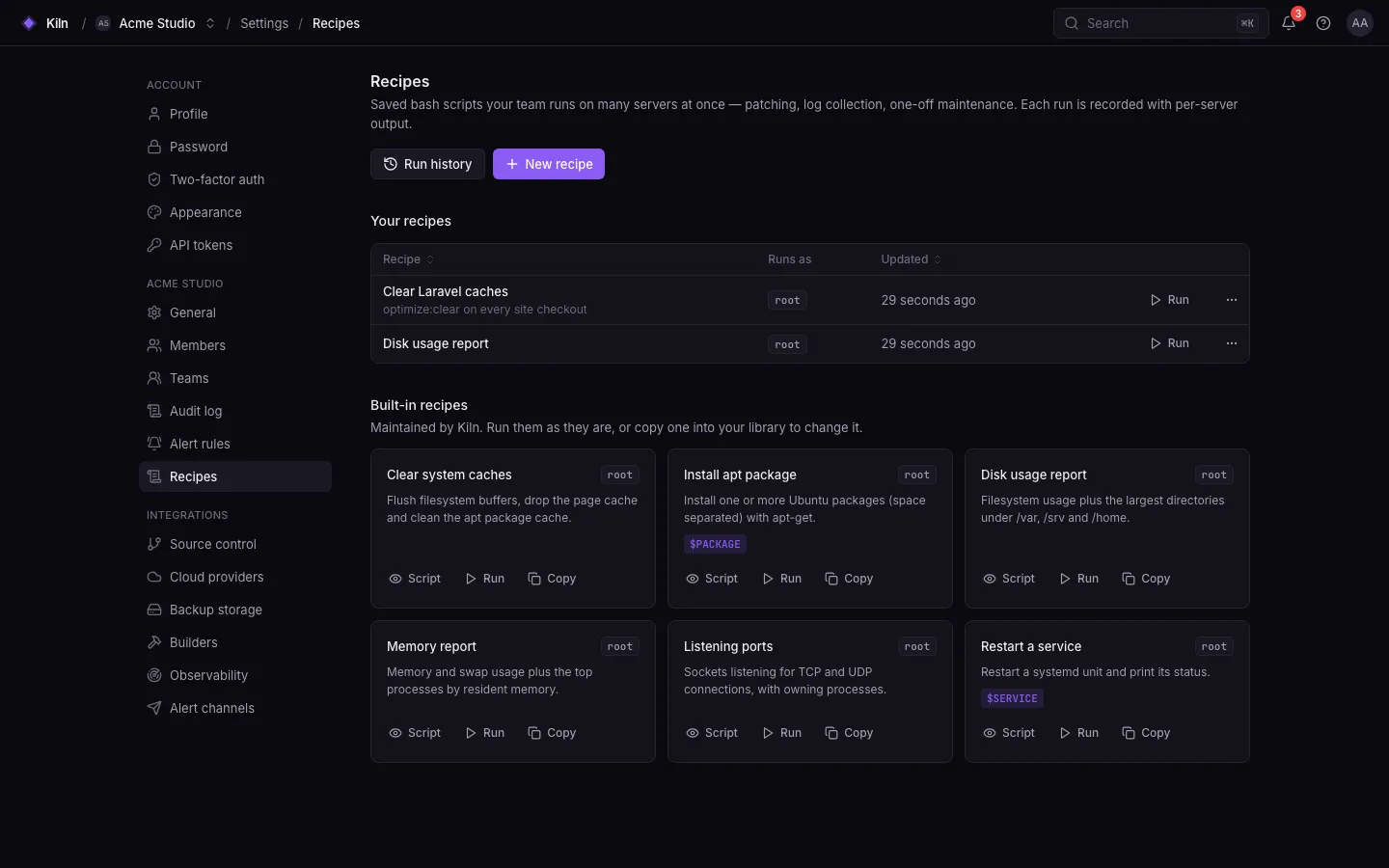
Built-in recipes
Section titled “Built-in recipes”| Recipe | What it does | Variables |
|---|---|---|
| Clear system caches | sync, drop the page cache, apt-get clean, vacuum the journal to 7 days, print free -m |
|
| Install apt package | apt-get install -y --no-install-recommends $PACKAGE |
PACKAGE — space-separated package names |
| Disk usage report | df -h and the largest directories under /var, /srv, /home |
|
| Memory report | free -m and the top processes by memory |
|
| Listening ports | ss -tulpn |
|
| Restart a service | systemctl restart $SERVICE and its status |
SERVICE — a systemd unit |
Create a recipe
Section titled “Create a recipe”- Open Settings → Recipes and click New recipe.
- Give it a name, an optional description, the Linux user to run as, and the script (up to 64 KiB).
- Save.
Run a recipe
Section titled “Run a recipe”- Open the recipe and click Run.
- Pick up to 100 servers, fill in variables, and optionally change the timeout (default 900 s, up to 3600 s).
- Watch each server’s output live. The run finishes when every server finished.
Permissions
Section titled “Permissions”| Action | Permission | Roles |
|---|---|---|
| View recipes and runs | recipes.view |
all |
| Create, edit, delete | recipes.manage |
owner, admin, developer |
| Run (arbitrary scripts, possibly as root) | recipes.run |
owner, admin |
Limits
Section titled “Limits”- Recipes are covered by unit and feature tests, not yet by the end-to-end suite.
Next steps
Section titled “Next steps”Web terminalInteractive shells in the browser.
ProvisioningWhat Falak installs by itself.